2024-12-07
Find the contours / non-transparent part of an logo
This was the first task I started working on.
Initially, I thought this might be the most complicated part: a lot of work has been done in this area for computer vision/object detection, but much of the algorithms seems overly complicated.
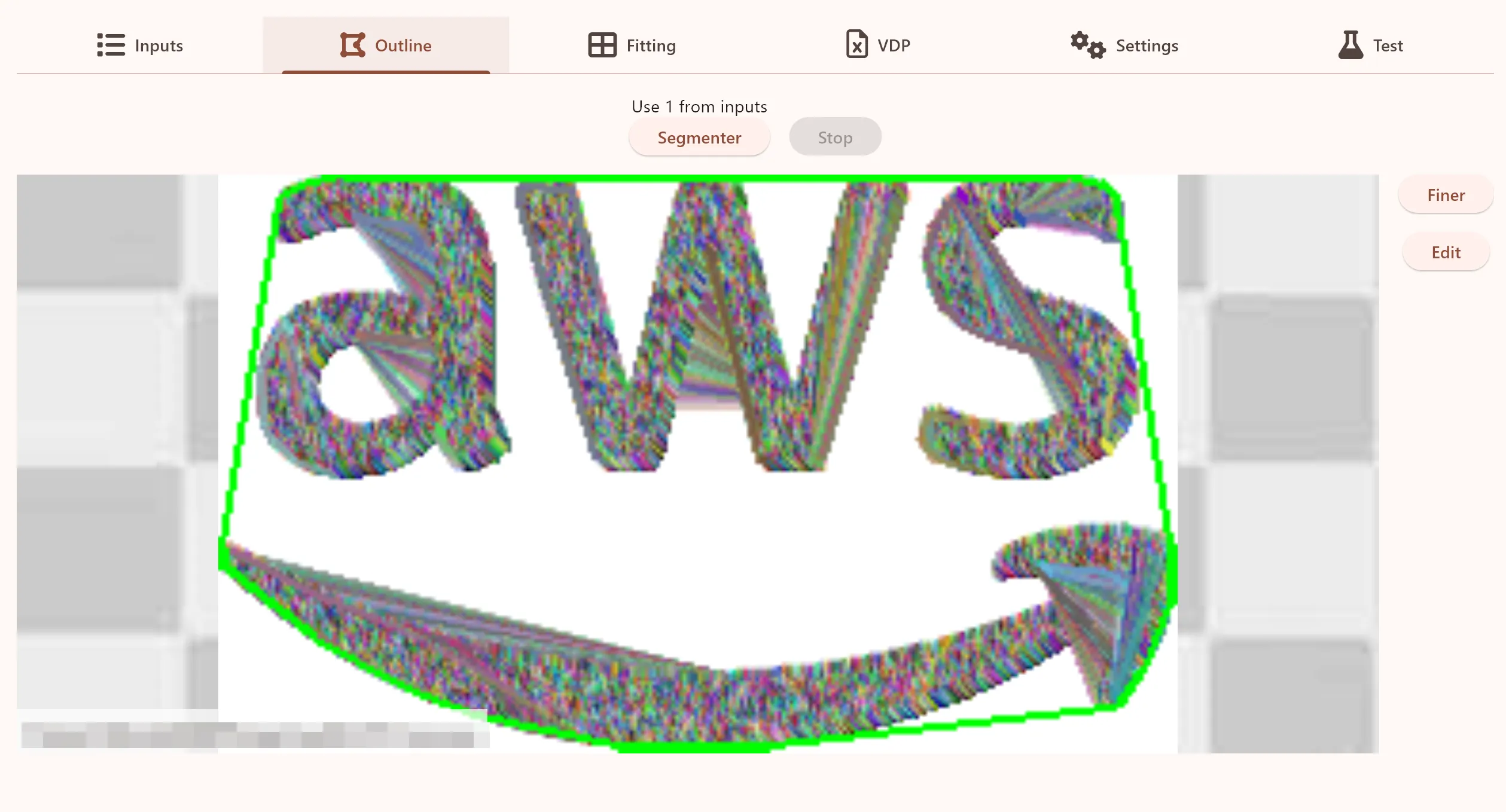
Here is a image showing all the contours found in the AWS logo (the grey lines covering the letters and arrow), and the outline of the logo (the thick green line).
But can I get by with something a lot simpler?
The first step is thresholding/determining which parts/pixels in the logo that are transparent. This is a quite easy task, but something that can be quite CPU intensive: the logos used for printing needs to be very large, when they are to be used in sizes up to 20-25 cm.
So often the logo will be something like 3000 x 2000 pixels. But when trying to determine which parts are transparent (and also later on when outlining the logo), there is no need to use such a high resolution/so detailed.
So the first step is to downscale/resize the image. I found that this can be done quite aggressively, even down to a size from 250 to 500px in width, without any real problems.
However, I found that the resizing algorithm in the image handling library (Interpolation.nearest) is not always the best, when just thresholding between transparent and non-transparent pixels. Just looking at the alpha values of the nearest neighbor, can quite aggressively clamping the values, made sure the resized image was better at retaining edge details.
Once the image has been resized and thresholded, the next step is to trace the contours (outline) of the logo. As previously mentioned, there are a lot of algorithms for this. I started with the most dead simple one: Square Tracing Algorithm. The results are surprisingly good for such a basic algorithm.
The next step was to try Theo Tracing Algorithm, which in itself is no way an advanced algorithm. But after cleaning up the results, by removing all the very small contours, I was really surprised to see that it actually worked really well. In the future I might revisit this, and try with some other algorithms and/or custom anti-aliasing when resizing the image, but for now Theo Contour seems capable for what is required here.
But one important thing to remember: The tracing algorithms works best, if you add an empty/transparent pixel around the logo. I guess a lot of logos are edited in PS/AI, and end up being “trimmed”.
Written by: Jesper Halvorsen