2026-01-05
A lot has happened, but I never got around to updating the blog 😊
I’ve mainly been working on three parts of the program:
New/faster tracer - written in Rust
New layout algorithms with focus on roll/“endless sheets” and not just A3 sized sheets
Variable detail printing (VDP): Merging information from Excel/spreadsheets into designs.
Nothing too exciting here - just a faster way to do it. Tracing turned out to be a bit slow done in Flutter/Dart, probably because of boxing/unboxing.
So rather than spending too much time trying to fix in in Dart, I did all the computation in Rust, which really integrates nicely with Flutter using the Rust bridge.
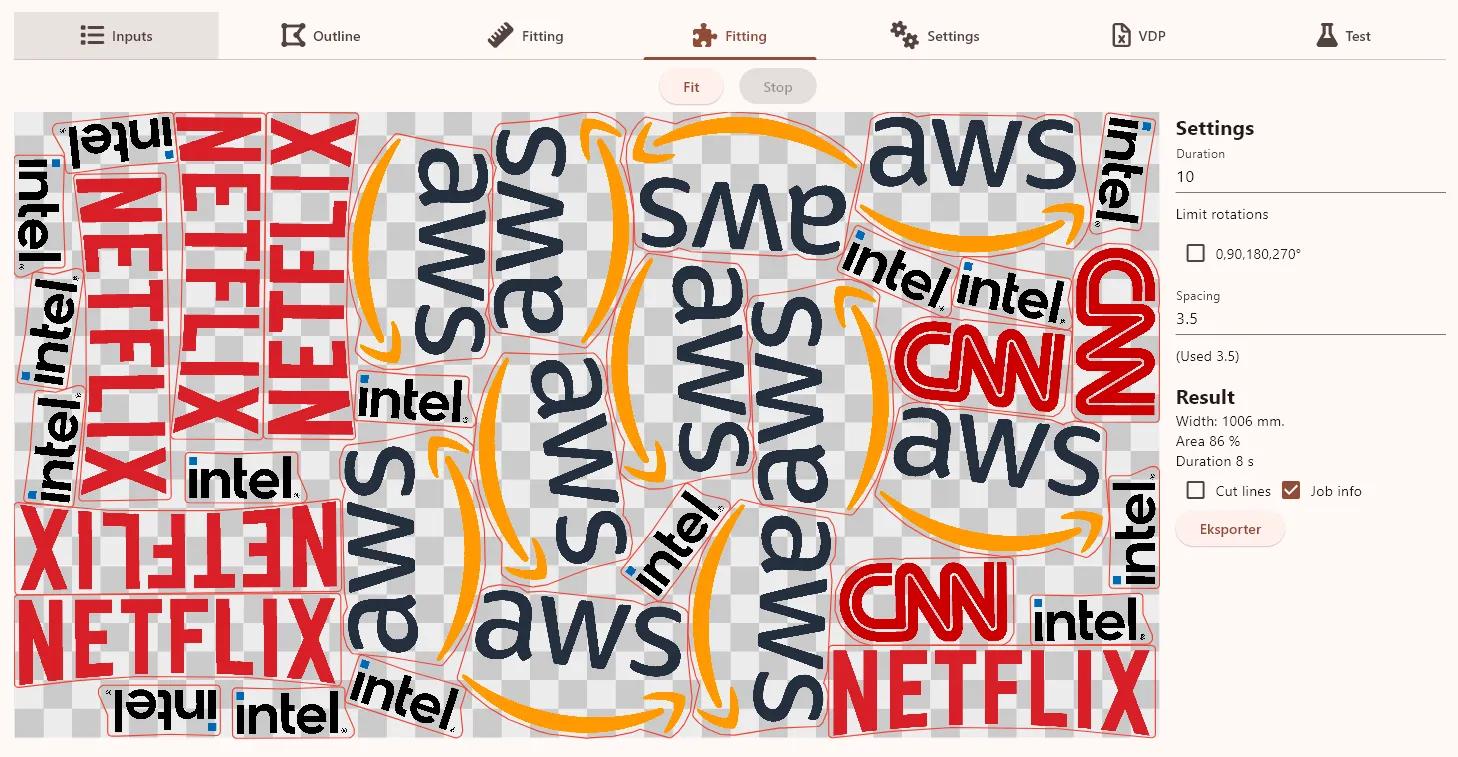
When laying out really big jobs, the layout could be slow, so I’ve also updated this part. Rather than trying to pack until an optimal solution is found, I’ve just added a max duration to perform layout (and an option to break if the results looks “good enough”).
I turns out that running the new packer for 30 seconds, results in a pretty good result as shown here:
The only issue is that if you have a lot of smaller logos, cutting them out can be quite a daunting task. To handle this, I’ve implemented a guillotine packer:
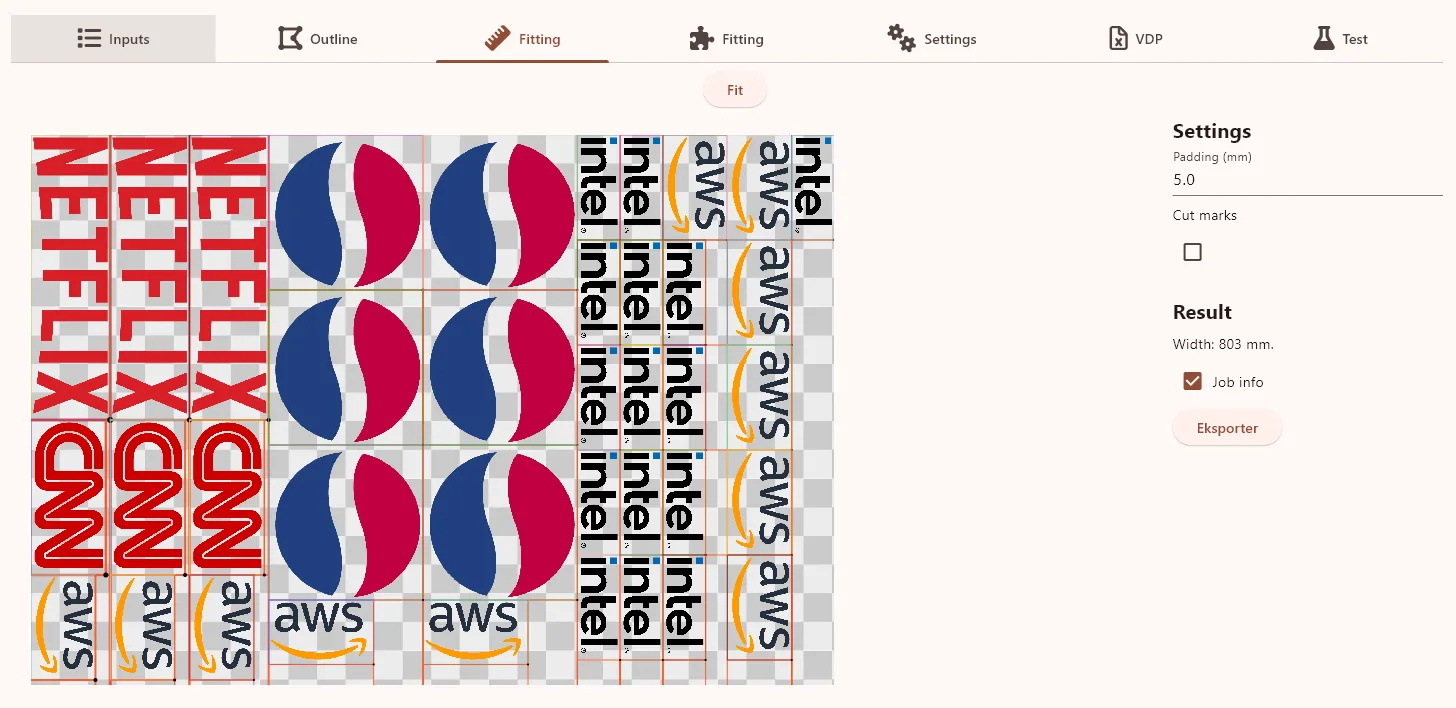
Here all cuts are from side to side as you work your way “inward”, so with a trimmer/guillotine cutter, you can quickly work your way through the printed sheet.
A good example of VDP are back of sports jerseys. Here each shirt must be printed with a unique number and name.
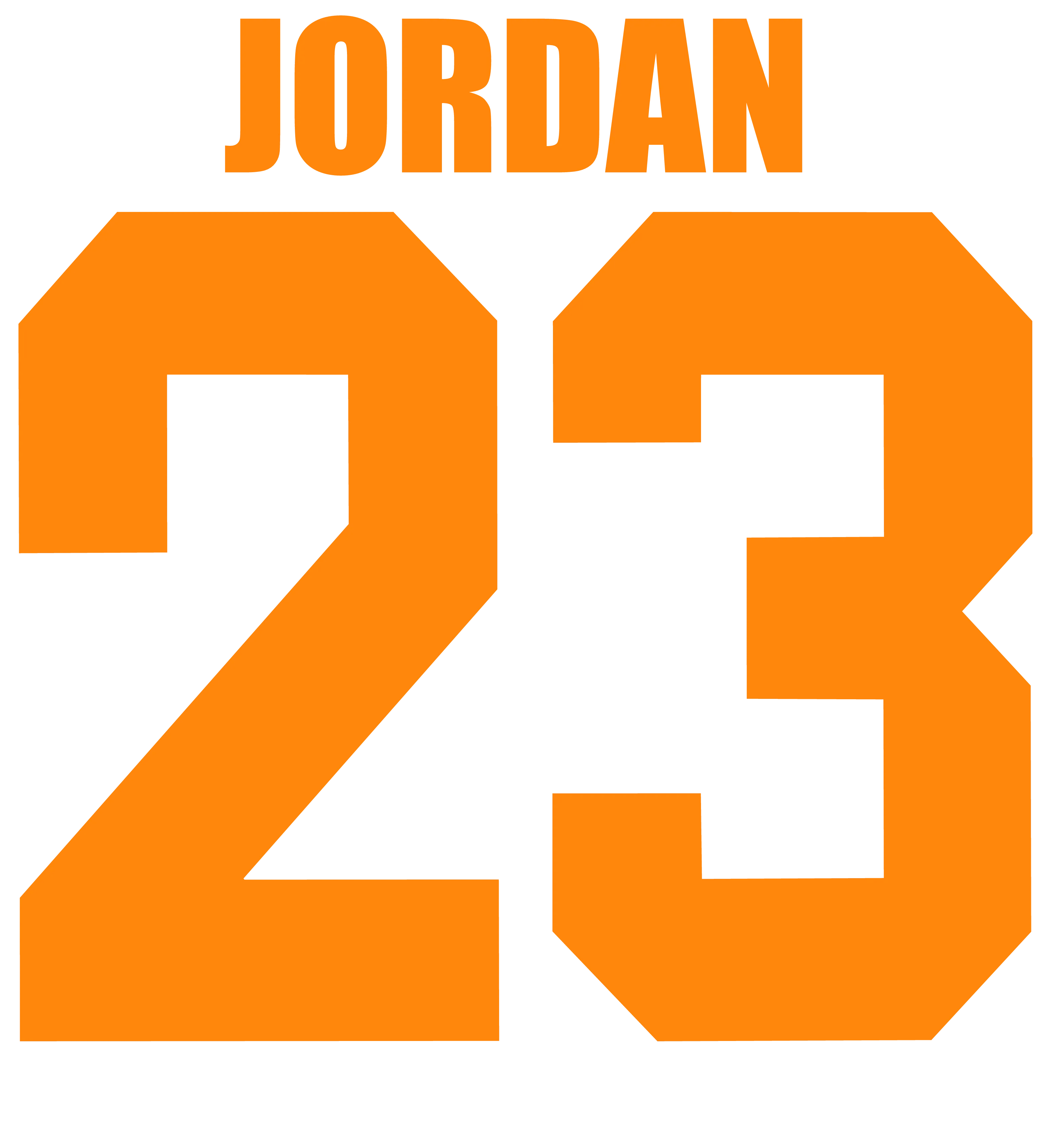
Previously we produced the digits separately as DTF and the names on a vinyl cutter. But it’s really hard to place the name and numbers correctly every time, and sooner or later, you will end up making errors.
So it’s much more effective to make the program do it. Here is an example of how a VDP is defined and merged with data from Excel/a spreadsheet:
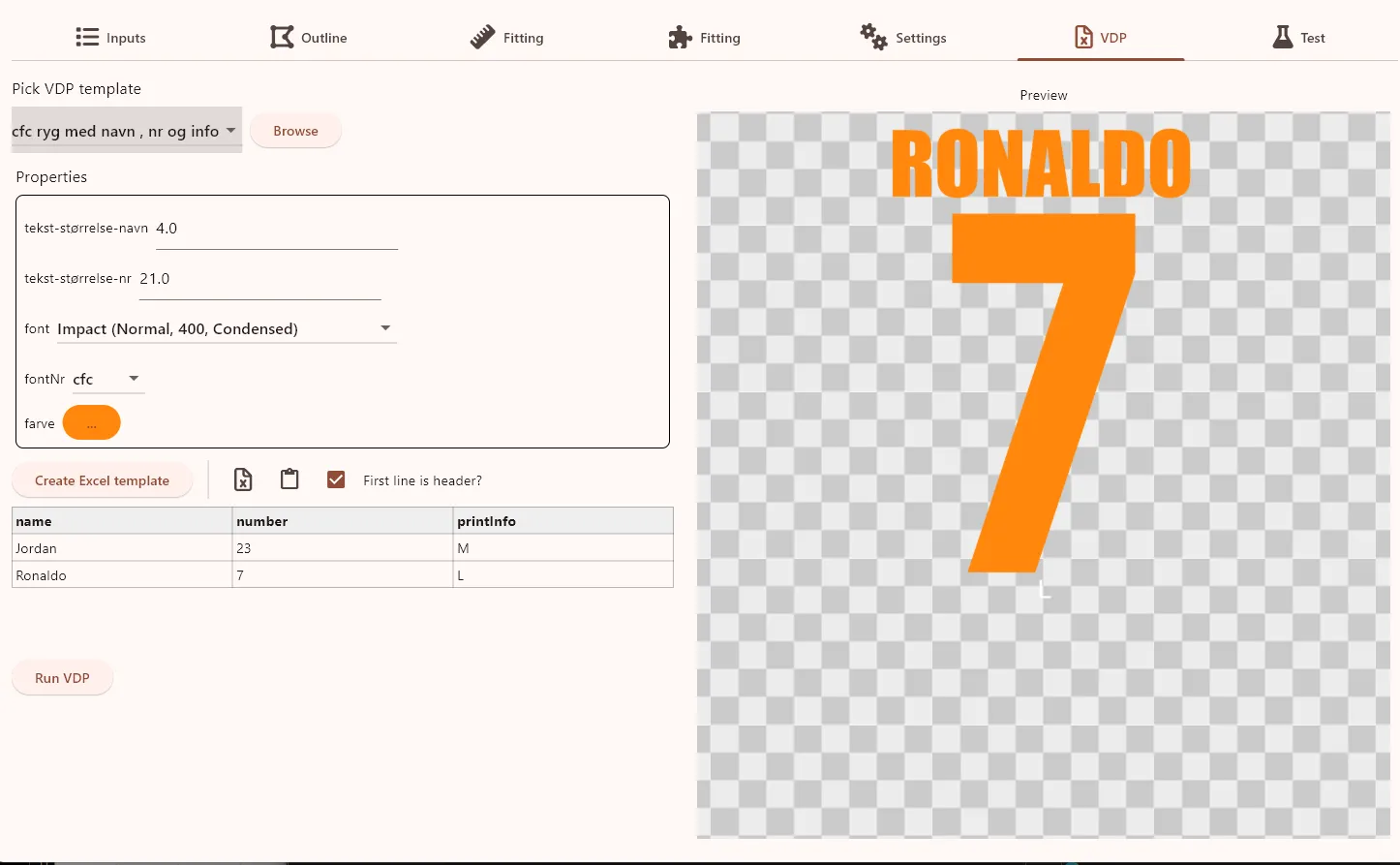
You can customize the text size and font for the name and number, and pick a color. Of course, all these settings can be “hardcoded” into a VDP definition for a specific Club or Team.
And one other timesaver: It’s hard to see on this image, but there is a M at the bottom of the generated example.
This helps the person pressing the jersey: Pick a medium sized t-shirt and everything matches what the customer requested (of course additional information can be added here: A blue mens shirt size XXL) - only really important thing is to remember to cut this part off before pressing the t-shirt 😊
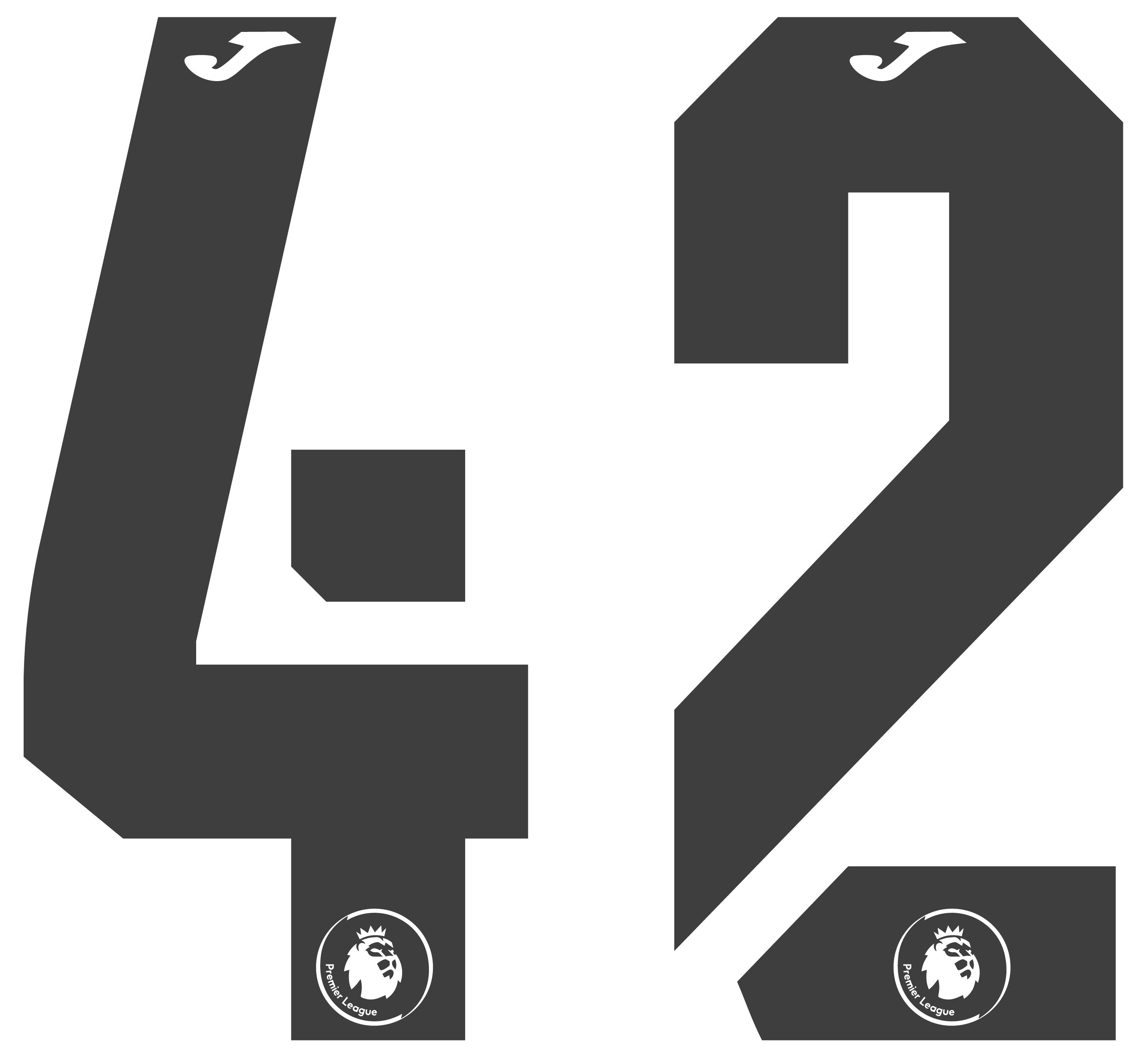
One final thing we wanted to automate was placing/knocking out logos in the top and bottom of jersey numbers. The logos automatically scale with the height of the number, and can either be knockouted/transparent (as in this example) or filled with a specific color.
This really helps when you need numbers for both home and away jerseys where the color of the numbers differ. Just sit back and wait for the program to generate two sets of numbers for each team member.
Written by: Jesper Halvorsen